Scribe v1.3 — evidence-linked notes, 81 specialty templates, desktop and mobile.

Clinical notes before the patient leaves.

Record. Review. Send. Cloud in your browser, offline on Mac, or self-hosted. Built for clinicians who value patient privacy.

No credit card. Works in any modern browser.
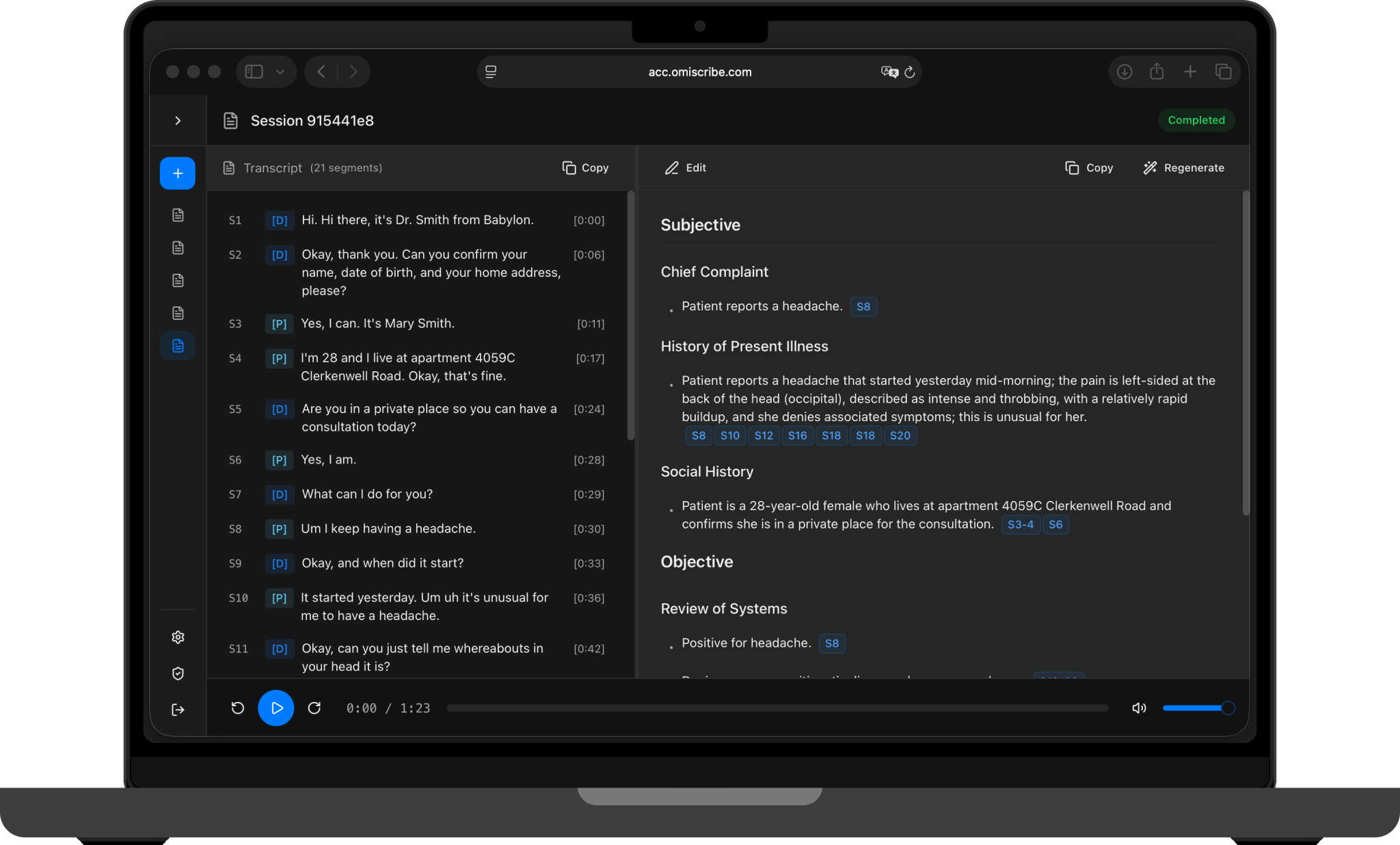
Scribe UI on MacBook — transcript on left, SOAP note on right, evidence chips visible
Evidence-linked to the transcript
81 specialty templates · 5 languages
Desktop and mobile
On-device or your private cloud
How it works

Record. Review. Send.

1

Listen

Record the conversation with automatic speaker detection.

2

Transcribe

Speaker-labelled transcript with timestamps.

3

Structure

SOAP note with evidence linked to the source.

4

Review

Approve, edit, export. Nothing enters the record without you.

Beyond the note

The note is the starting point,
not the finish line.

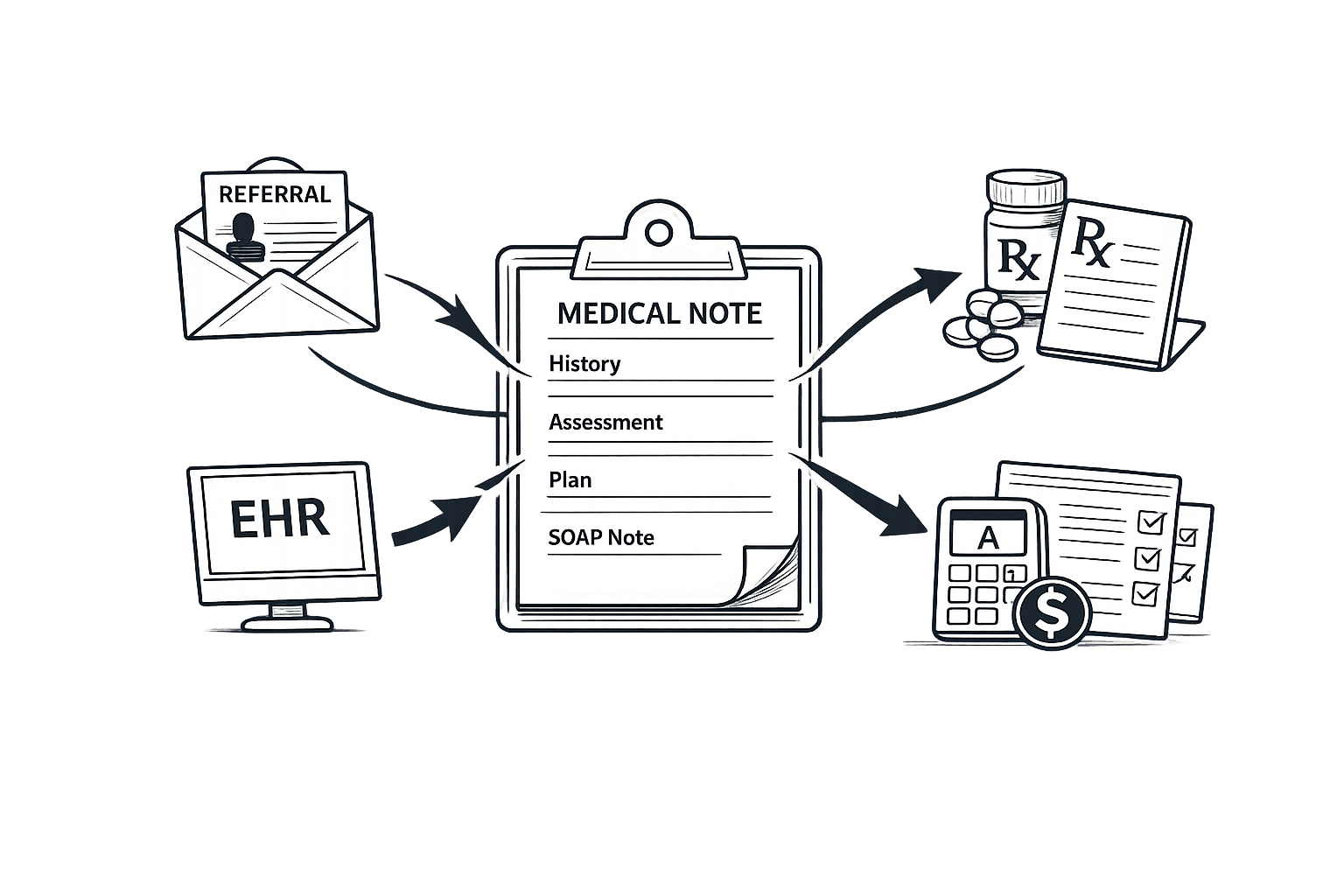
Referrals, prescriptions, EHR entry, billing — automated from the same note, inside the same environment.

Referral letters

Drafted from the note — ready to review and send.

Prescription prep

Pre-filled for clinician approval.

EHR pre-fill

Structured data pushed via approved integrations.

Billing support

Suggested codes ready for coder review.

Automation panel
Deployment

One product. Three ways to run it.

Try the cloud in your browser, work offline on Mac, or self-host.

Offline

Mac

Runs locally on Apple Silicon. No internet required.

  • On-device STT and clinical model
  • Encrypted local storage
  • Built for Apple Silicon
Self-hosted

Your cloud

Runs in your tenant, with your identity and retention controls.

  • Your VNET and governance
  • SSO, RBAC, audit logs
  • EHR integration support

Same clinical pipeline across every deployment. No training on customer data.

Frequently asked questions

Is patient data sent to Omi?

Cloud: Processed in the EU (Azure Sweden Central) under GDPR.
Mac: No. On-device only, encrypted on the laptop.
Self-hosted: No. The data plane lives in your tenant.

Do you train on my data?

No. Customer audio, transcripts, and notes are never used to train Omi models. This applies to all deployment options.

Can I use it without a Mac?

Yes. The cloud version works in any modern browser — no install needed. The Mac app is an additional option for fully offline, on-device processing.

Can we self-host?

Yes. Deploy in your own Azure, AWS, or GCP tenant. Same product, same pipeline. Start on the cloud and move to self-hosted when governance requires it.

What does "free for life" mean?

A limited number of founding clinicians get the full product permanently free. No switch-to-paid date. No credit card. When the program is full, standard pricing applies.

Do you support mental health or therapy workflows?

Yes. Sensitive-care mode, consent UX for therapeutic contexts, and templates for safety plans and progress notes. Standard on every tier.

Can you sign a DPA or BAA?

Yes for the cloud version and enterprise self-hosted. The Mac app does not require a DPA because data never leaves the device.

What note types do you support?

81 specialty templates across 5 languages (NL, EN, DE, FR, ES) — including SOAP, H&P, progress notes, mental-health and pediatric formats. Enterprise customers can configure custom templates.

Start in minutes. Stay in control.

Try the cloud free in your browser. Join the Mac beta, or talk to us about self-hosted.